Changelog

Follow new updates and improvements to MeetMic - lightning-fast and accurate transcriptions.

MeetMic 1.31

We're excited to announce MeetMic 1.31 - our biggest dictation release yet, with app-specific prompts that adapt to whatever app you're writing in, on-screen context awareness, and multiple summaries per transcript.

New Features

Floating Dictation Panel

Dictation now has a home on screen. We’ve added a floating panel that stays visible so you can start and stop dictation by clicking on a button, open dictation history, and switch AI-processing prompts without touching a keyboard shortcut.
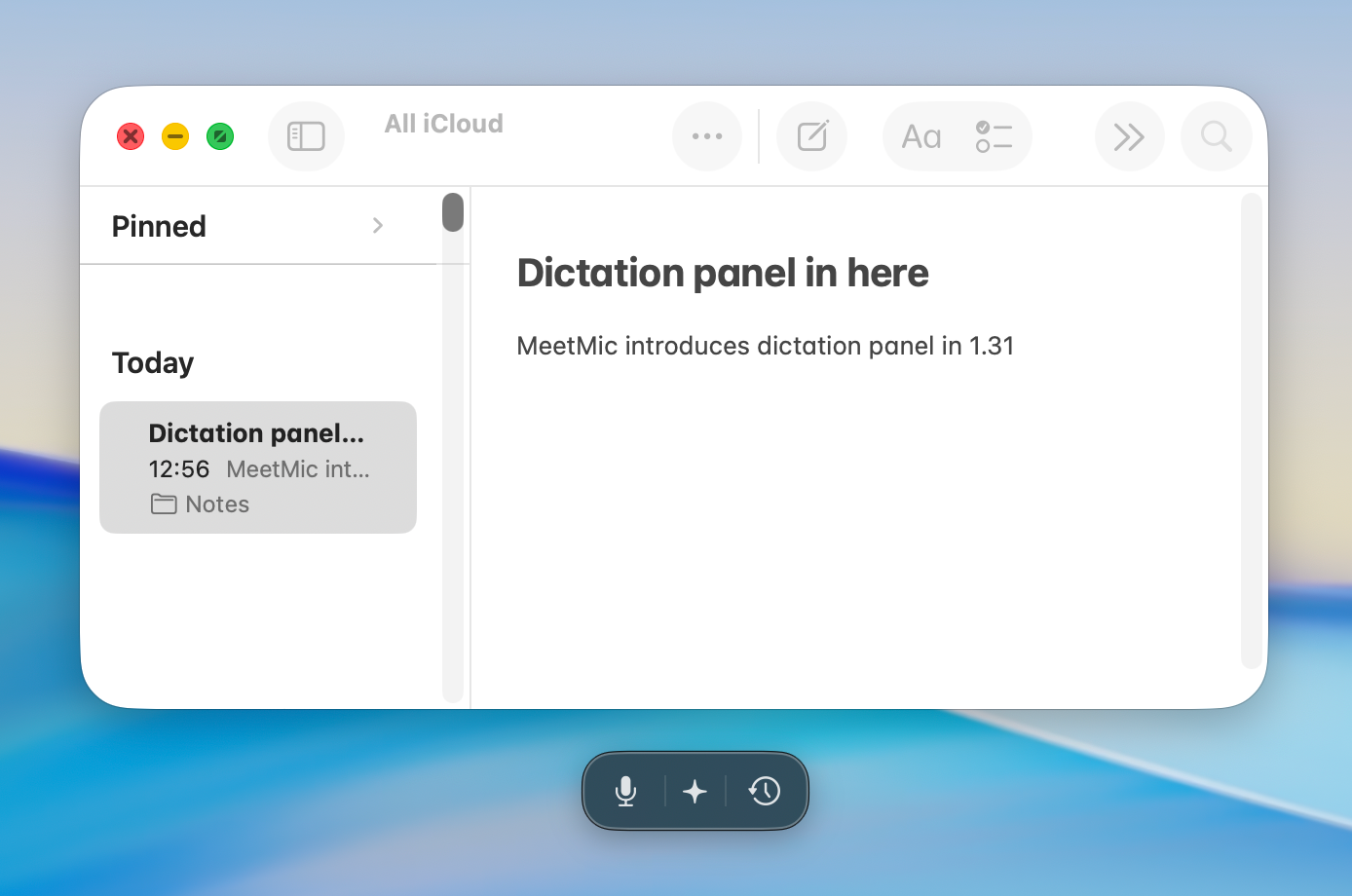
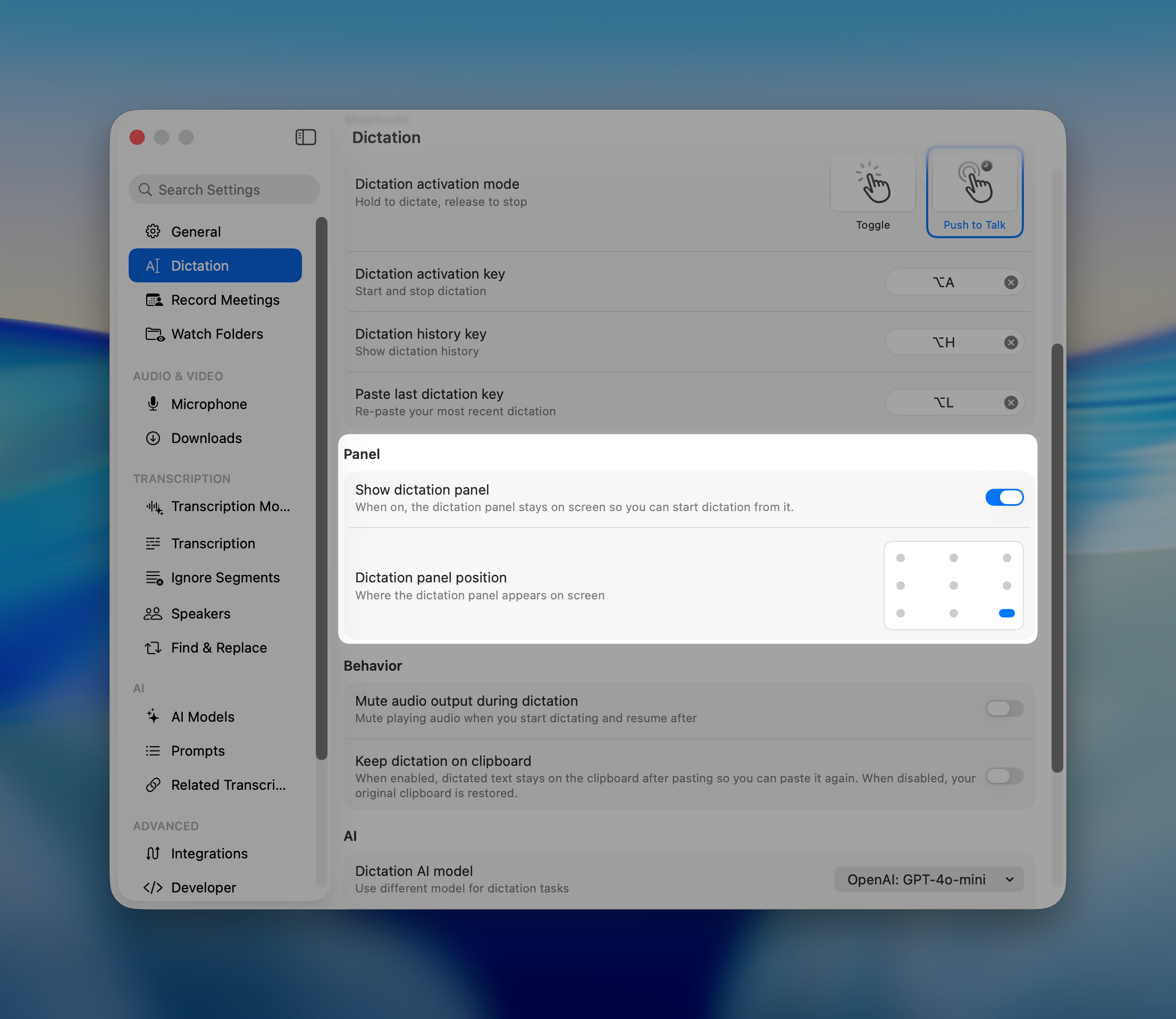
Need to hide it for a while? Right-click it and choose Hide for 1 hour or disable in the Settings → Dication → Show panel

App and Website Prompts

Different apps deserve different writing. MeetMic can now switch your dictation prompt automatically based on where you are dictating - casual in Messages, structured in your editor, formal in Mail. You can also set separate rules for individual websites.
Set it all up in Settings → Dictation → App and website prompts.
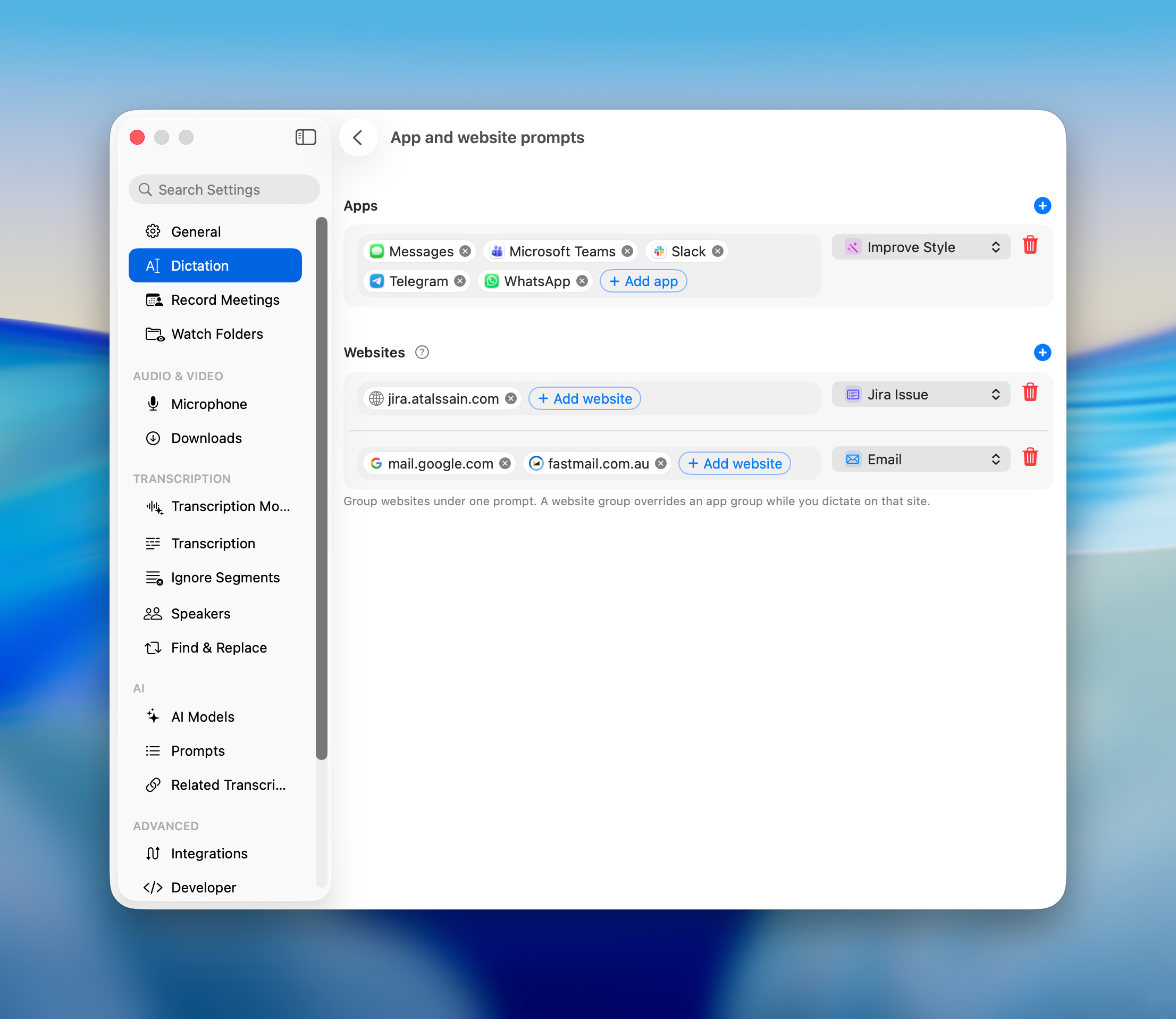
Website prompts work only in supported browsers: Google Chrome, Safari, Firefox, Brave, Arc, and Dia.


On-Screen Context

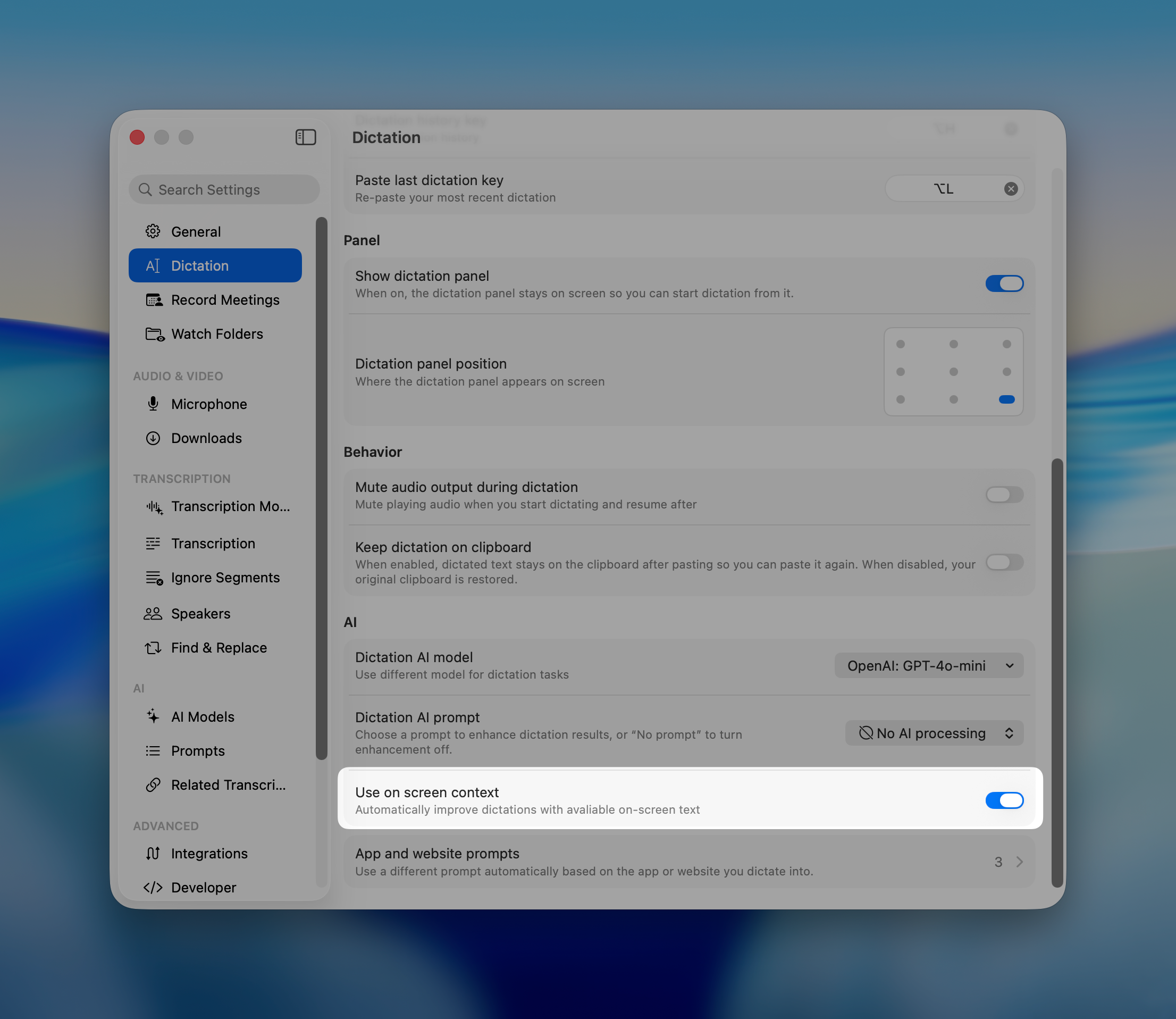
Dictation became much smarter. Turn on Use on screen context in Settings → Dictation → AI and MeetMic reads the text visible on your screen to improve each dictation. Names, jargon, ticket numbers and product terms come out spelled the way they appear right in front of you, instead of the way they sounded. Your screen context works with AI-processing, so if you use Cloud AI models be careful if you have sensitive information on the screen.

Multiple Summaries per Transcript

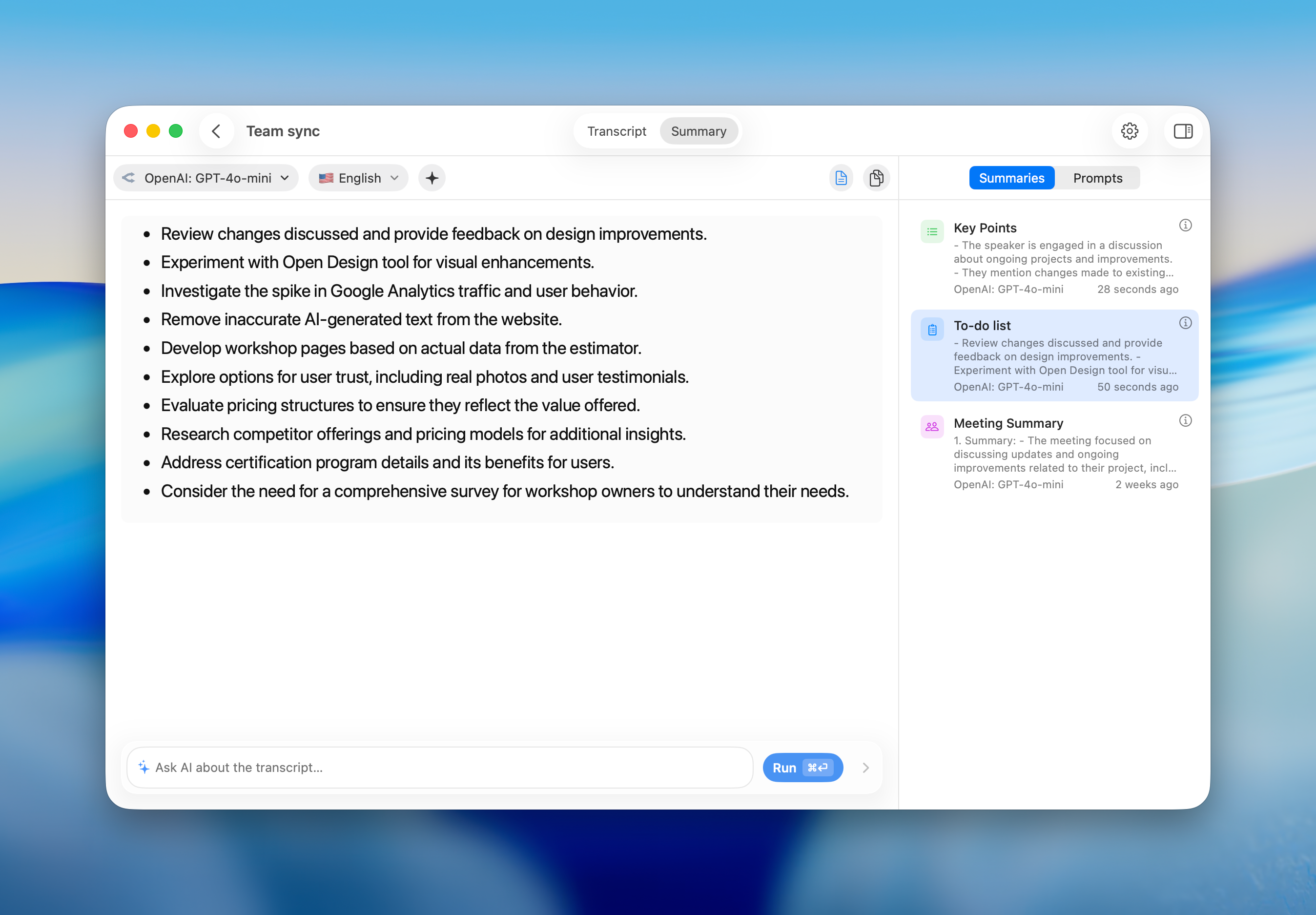
Transcripts now keep every summary you generate, not just the most recent one. Run a different prompt or a different model and compare the results from the Summaries tab in the transcript inspector, where each entry records which model produced it and when.
As always, we're committed to making MeetMic better with every release. Thank you for your feedback — it shapes what we build next.

— The MeetMic Team

MeetMic 1.30

We're excited to announce MeetMic 1.30 - a release that begins with a new name and brings smarter on-device AI, open voice-model connectivity, and a wave of polish.

Download MeetMic


New Features

QuickWhisper is now MeetMic

We renamed the app from QuickWhisper to MeetMic. The old name only pointed at OpenAI's Whisper models, but the app has grown well beyond that - you can connect a variety of transcription and AI providers. MeetMic reflects what you actually do here: record meetings, dictate, capture voice notes, transcribe any audio, and summarize it. Same app, same data, clearer identity.

Modern On-Device AI Models

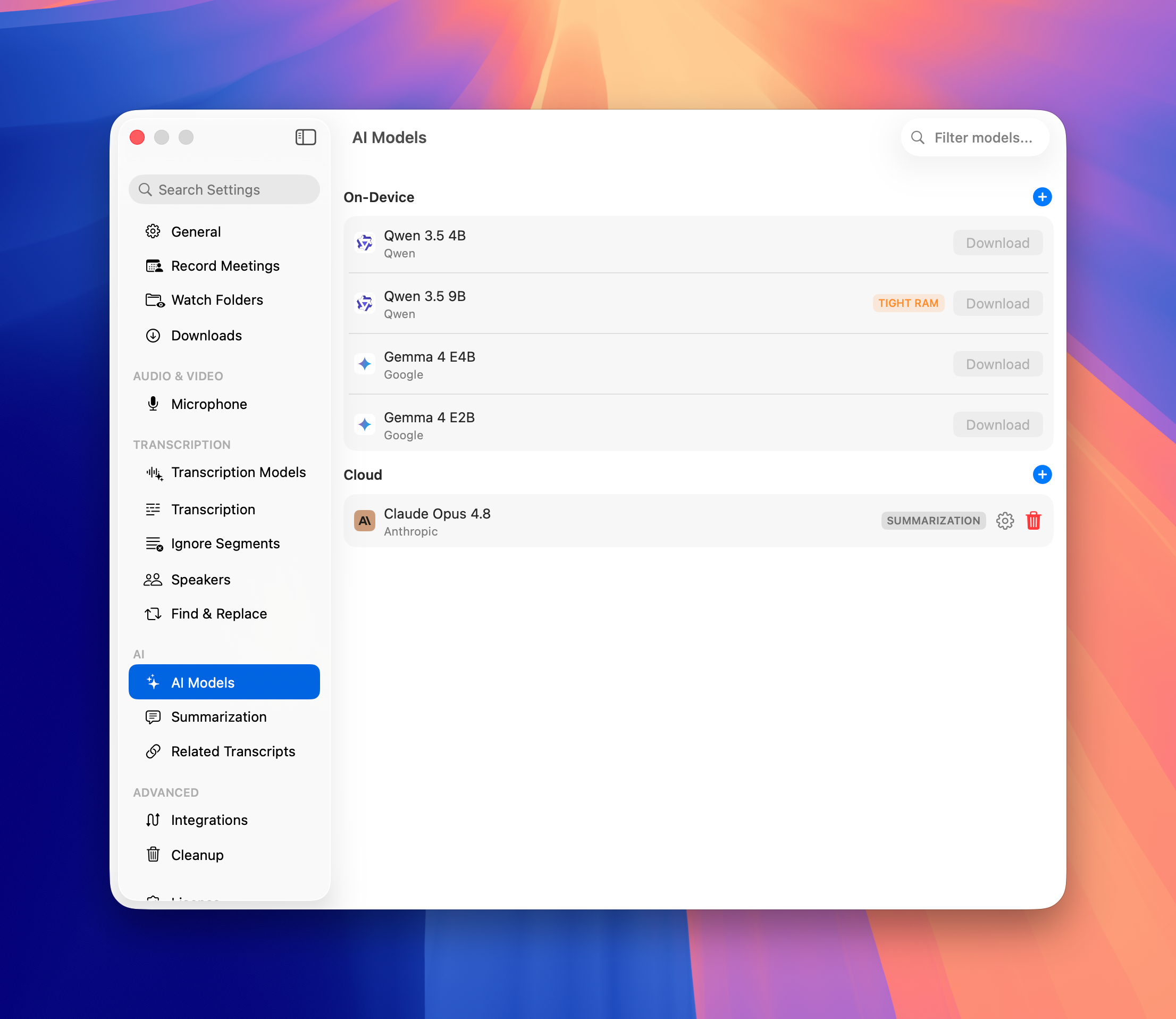
We refreshed the on-device model catalog with current, state-of-the-art options - including Google's Gemma 4 and Qwen 3.5.

  • Retired-but-still-installed models are clearly tagged Legacy.

  • Downloads now run a disk-space pre-flight check.

Find them under Settings → AI Models.

Workflow & Interface Polish

A round of refinements to make everyday recording faster and clearer.

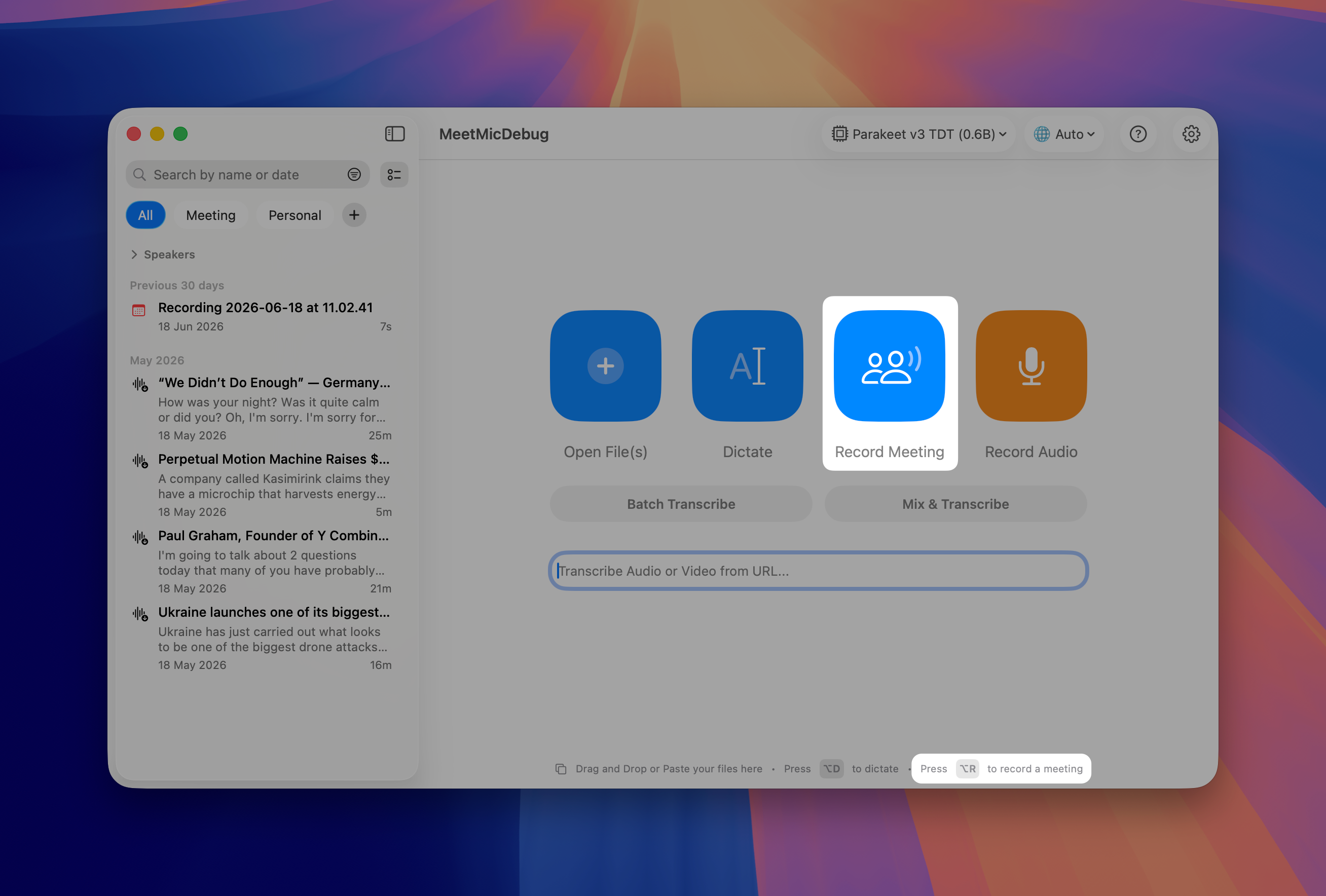
  • New default Option+R hotkey to start a meeting recording, with an on-screen hint.

  • First-click explainers on the Dictate and Record Meeting buttons, plus descriptive tooltips on the main action buttons.

  • Stop button added to the toggle-mode recording overlay.

  • History sidebar stays visible by default.

Fixes & Improvements

Many bug fixes and performance improvements across the app - including correct Portuguese (pt-BR) mapping for Apple transcription, fresh installs defaulting to Whisper (Tiny).

QuickWhisper 1.29

We're excited to announce QuickWhisper 1.28, featuring a redesigned main interface, powerful organizational tools, expanded voice model options, and workflow enhancements!

Download QuickWhisper


New Features

Related Transcriptions

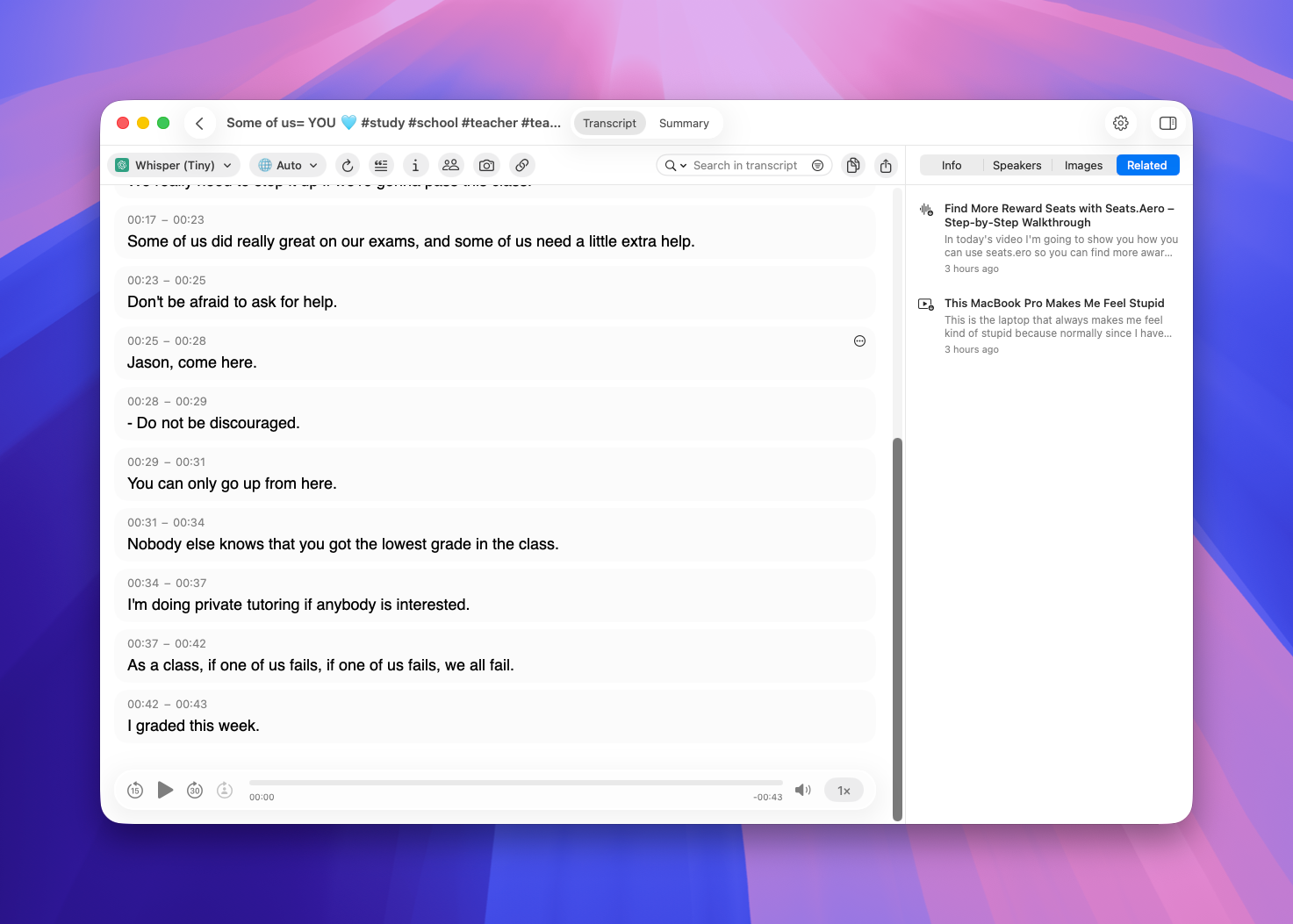
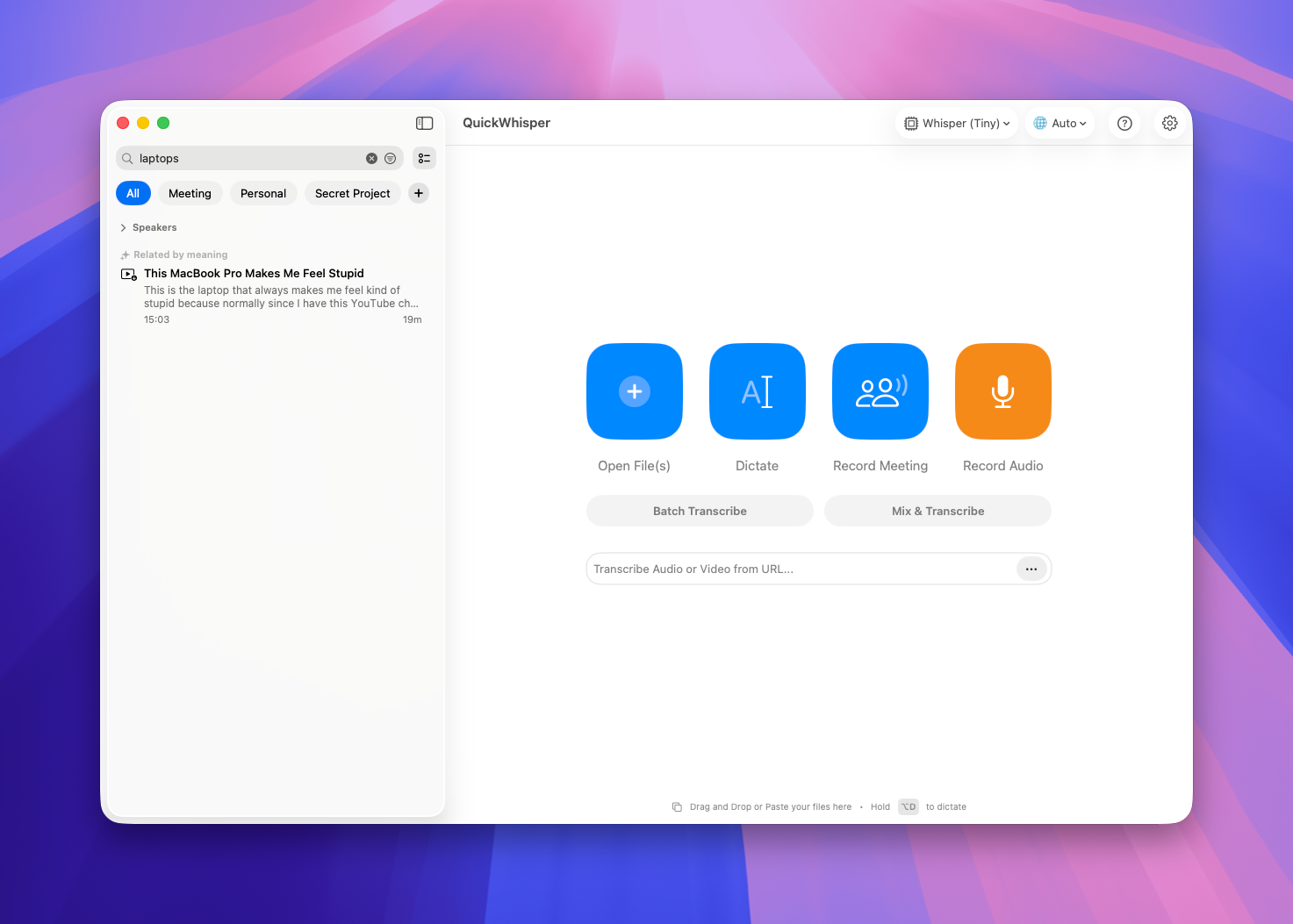
QuickWhisper now understands what your recordings are about. Every transcription you record or import is analyzed for meaning, and a new sidebar surfaces previous transcripts that are semantically similar to the one you're viewing. It's a fast way to pull up the last conversation on the same topic or revisit related notes from weeks ago.

Only recordings longer than 200 characters are indexed, so short clips won't clutter your related list.

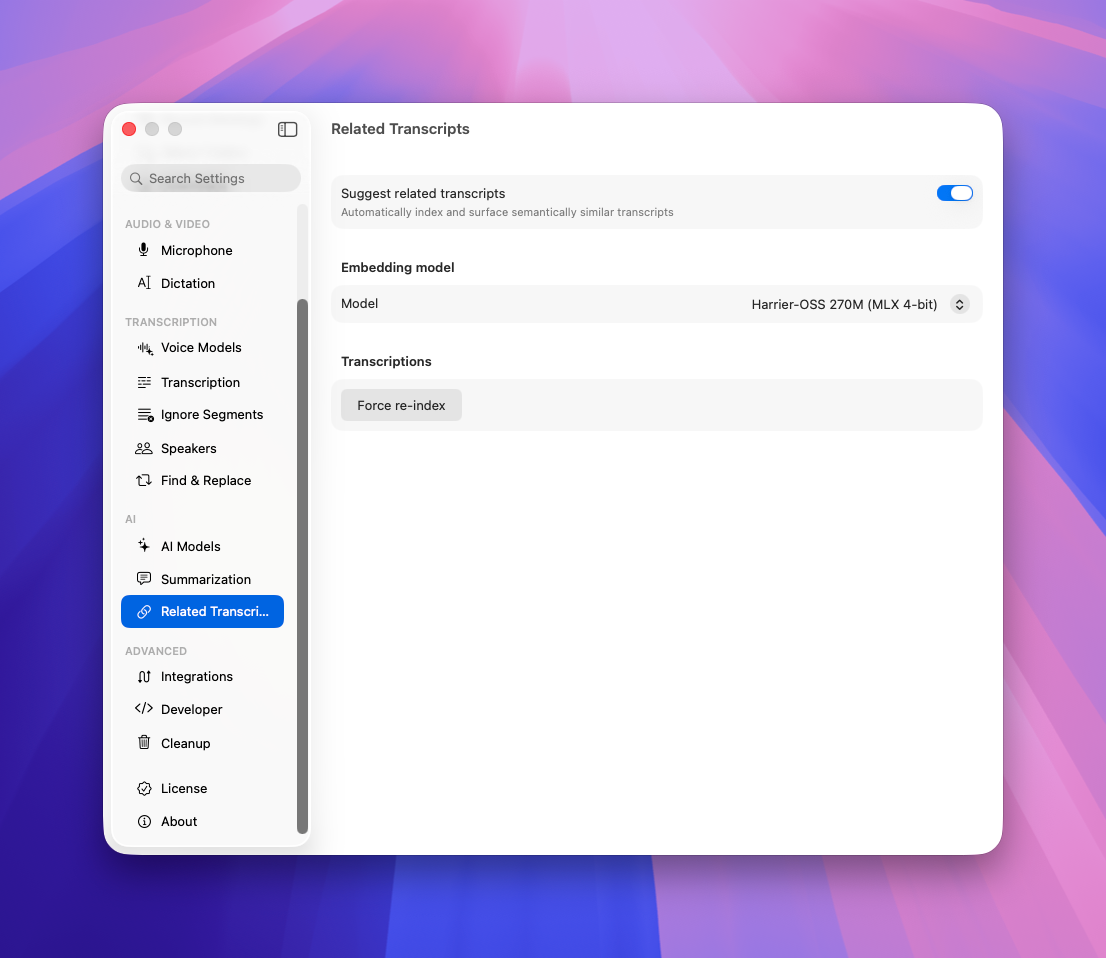
If you need to re-index your whole catalog of transcripts go to Settings → Related Transcripts → Force Re-index


Semantic Search

Now that your transcripts are indexed by meaning, search does more than match titles. When you search your History, QuickWhisper also looks for transcripts that are about what is inside.

This is an experimental feature, and we'd love your feedback as we refine it.


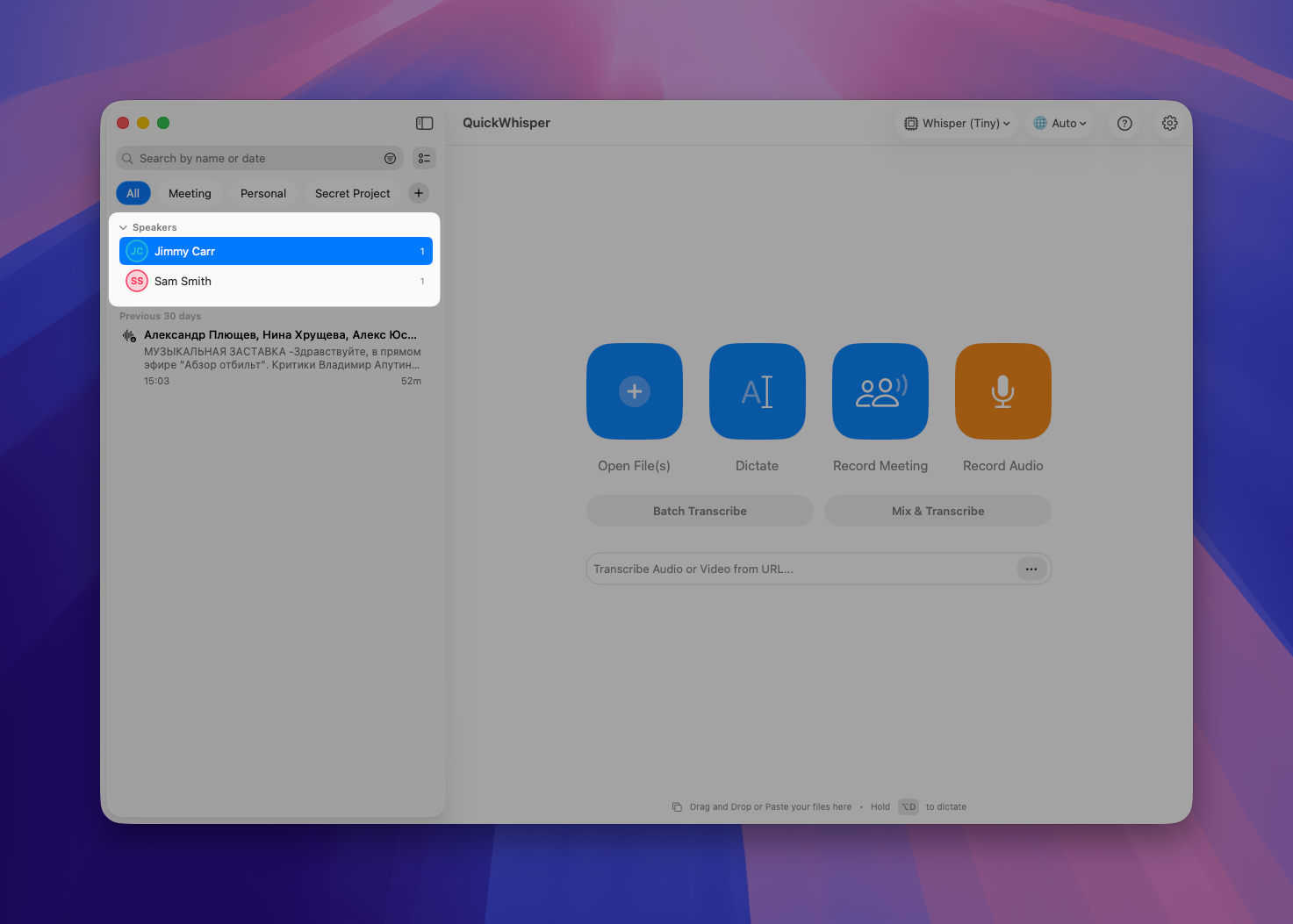
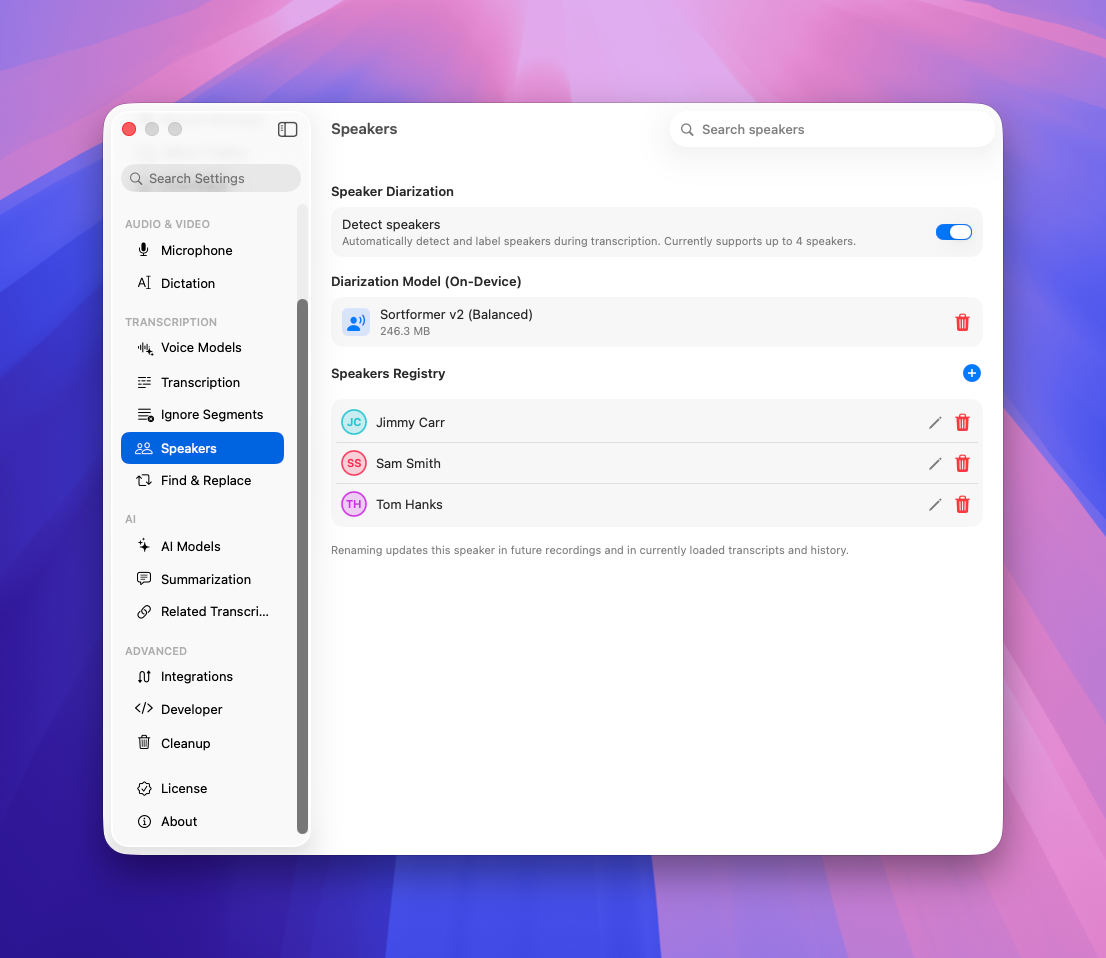
Global Speakers

We've finished what we started with the Global Speakers list. Every speaker you add to a transcript now joins your global speakers list automatically. And in History, you can filter transcripts by the speakers they contain. If you have recurring meetings with the same people - customers, colleagues, collaborators - this filter is a real time-saver for finding every conversation with a given person.


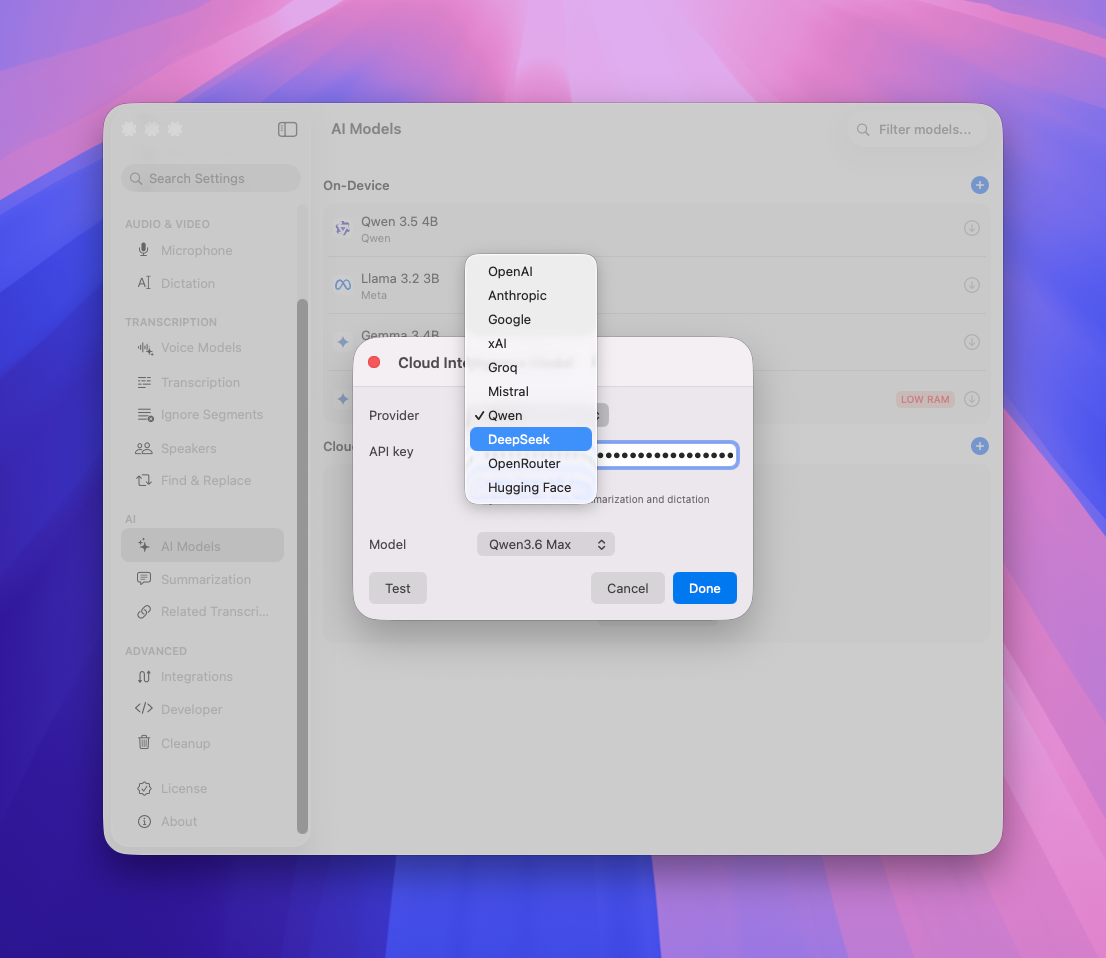
New Cloud AI Models

QuickWhisper now supports Qwen and DeepSeek cloud AI models. If you have an API key from them, you can use them for summarization and other AI-powered features.


As always, we're committed to making QuickWhisper better with every release. Thank you for your feedback - it shapes everything we build.

The QuickWhisper Team

Earlier updates